

Verfasste Forenbeiträge
-
AutorBeiträge
-
 thomasAdministrator
Hallo Thorsten,
unter Benutzer/DeinBenutzername/AppData/Roaming (bei Windows) gibt es einen Ordner „Configurator Reloaded“. Dort sind die Einstellungen gespeichert.
Thomas
thomasAdministratorWith version 1.4 you can now customize the appearance.
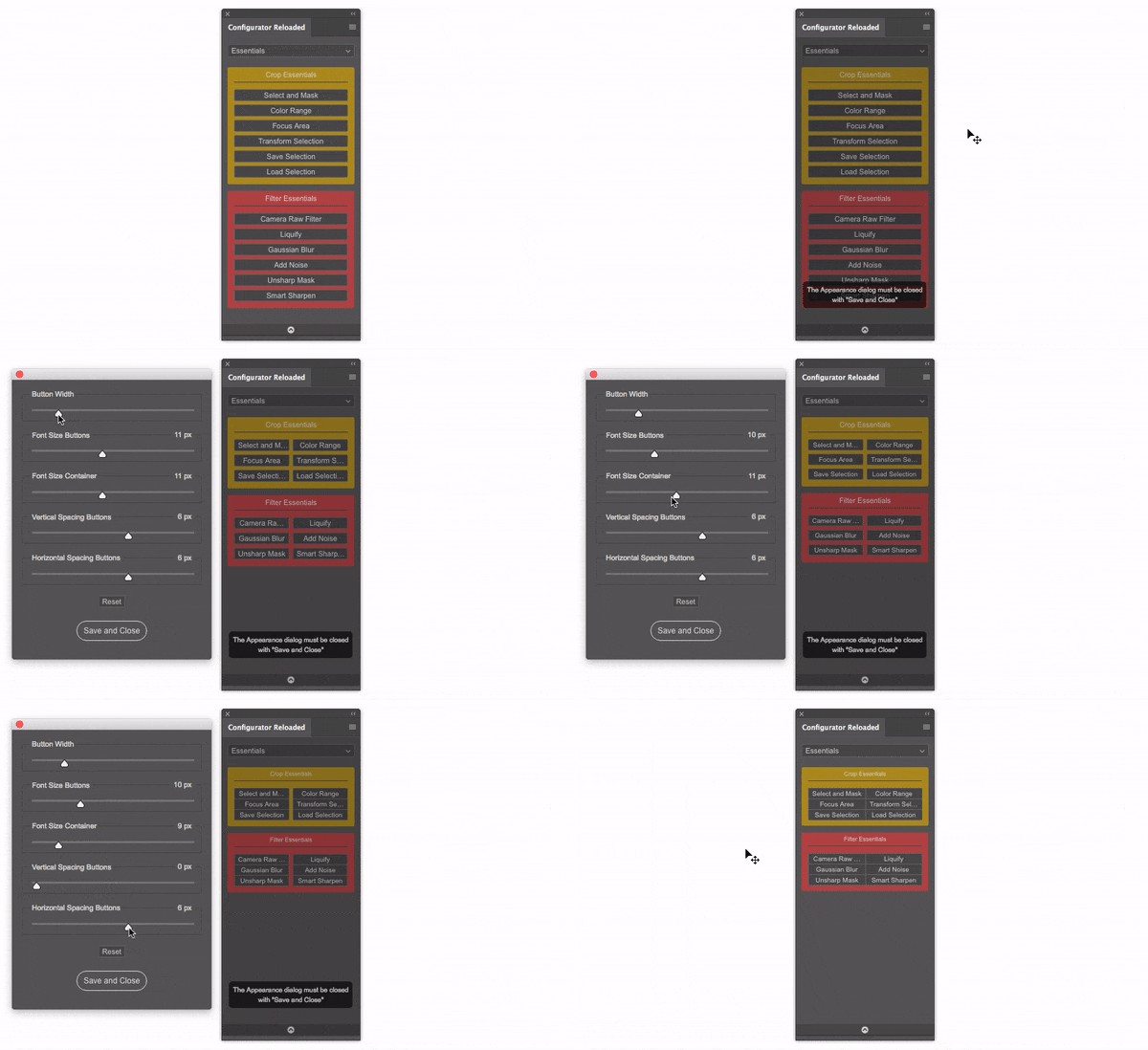
If someone hasn’t received the update please send me a mail to thomas[at]pixelsucht.net
7. Dezember 2017 um 14:51 Uhr als Antwort auf: Smaller interface – too much space between buttons #6035thomasAdministratorWith version 1.4 you can now customize the appearance.
If someone hasn’t received the update please send me a mail to thomas[at]pixelsucht.net
thomasAdministratorThe Curvator Pen Tool was added in version 1.4. All customers should have received a mail with the update link. If someone hasn’t received the update please send me a mail to thomas[at]pixelsucht.net
thomasAdministratorYou can’t add a reference image.
Thomas
24. November 2017 um 17:45 Uhr als Antwort auf: Panel kann nicht geladen werden – Nicht signiert #5997thomasAdministratorGerne, melde dich einfach hier falls etwas nicht klar sein sollte.
24. November 2017 um 17:43 Uhr als Antwort auf: Panel kann nicht geladen werden – Nicht signiert #5995thomasAdministratorAh, super.
Ich habe zwei Lizenzen gekauft, aber nur einen Key bekommen – gilt der automatisch für zwei?
Genau.
24. November 2017 um 17:31 Uhr als Antwort auf: Panel kann nicht geladen werden – Nicht signiert #5993thomasAdministratorzip-Datei auch korrekt entpackt?
Ich kann gerne mal per TeamViewer reinschauen.
24. November 2017 um 17:23 Uhr als Antwort auf: Panel kann nicht geladen werden – Nicht signiert #5991thomasAdministratorHallo Thorsten,
lade bitte die Datei erneut herunter und mache nochmals eine Installation über die Skript-Datei.
Thomas
thomasAdministratorHi Roland,
which version of CC 2015 are you exactly using?
Thomas
thomasAdministratorHi Ilesh,
please send me a mail with your mail-adress which you used for the purchase to thomas[at]pixelsucht.net
I’ll send you the correct link.
Thomas
thomasAdministratorHi Frank,
do you mean opening Watermark CC within CR? You can use this technique: https://pixelsucht.net/configurator-reloaded-photoshop-panel/forums/topic/how-to-adding-third-party-filters/
Thomas
thomasAdministratorDas ist das Verhalten von Photoshop und hat nichts mit dem Panel zu tun.
Im Speichern-Dialog gibt es unten eine Checkbox „Als Kopie“. Diese deaktivieren.
Thomas
thomasAdministratorHi,
you can export workspaces and import them. It’s not possible to save standalone panels. The third party has to own Configurator Reloaded to be able to import workspaces.
It will work for actions if the third party install them with the exactly same name of the set and the action. Remember that some actions will only work if the third party uses the same language of Photoshop.
Script buttons link as a path to the script. So it maybe will not work if the other person has the script file on a different path.
Thomas
thomasAdministratorHi Alban,
for generating the previews (tip and stroke) the panel uses the actual opacity and flow. Maybe you decreased this values and therefore it’s not visible.
At the moment the brush name will not be shown.
Thomas
-
AutorBeiträge
